 PDF Simple
Free PDF toolbox for iPhone
PDF tools without the catch.
Compress, merge, reorder, fill in and protect PDFs. Free, no account, and nothing ever leaves your iPhone.
Seven tools
Everything you do with a PDF, in one quiet app.
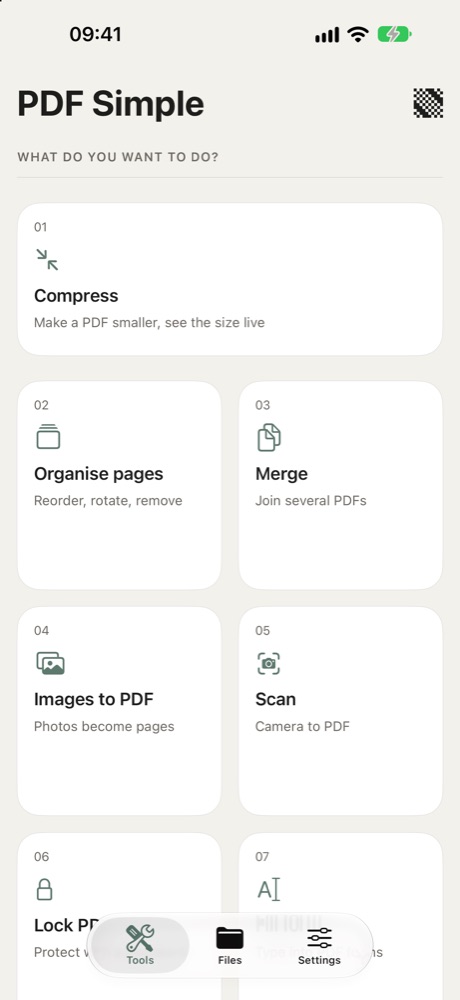
The same seven tools, in the same order, as on the app’s home screen. Each one does a single job and shows you the result before you save.
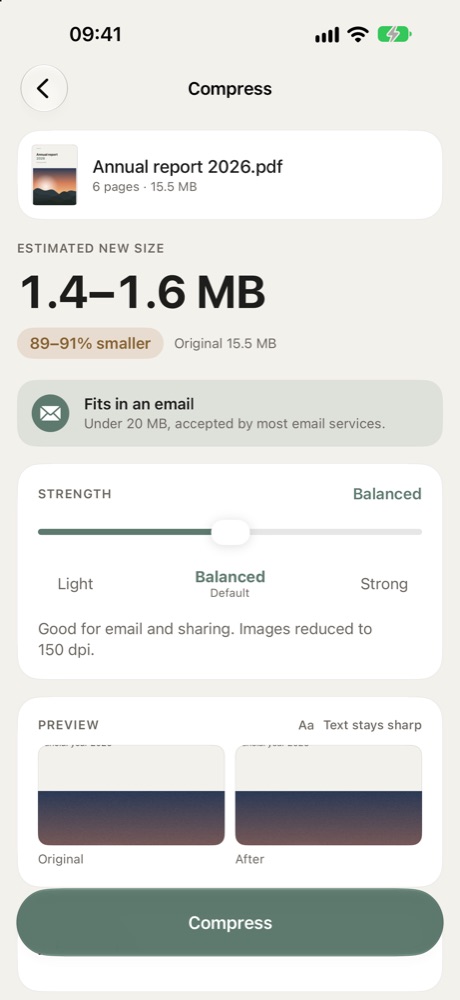
Compress
One slider from Light to Strong. The new size is estimated live, and a check tells you whether it fits in an email. Text and drawings stay sharp.
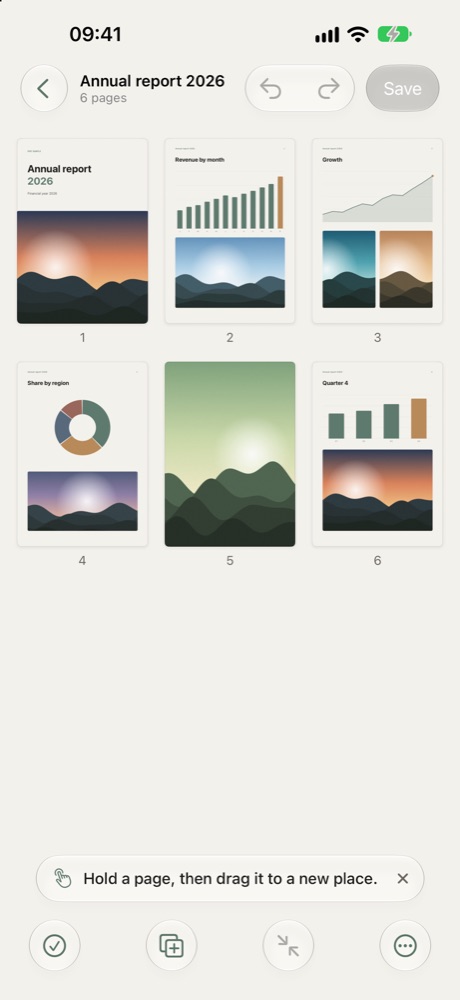
Organise pages
Drag to reorder, rotate, delete, undo. Add photos or pages from another PDF.
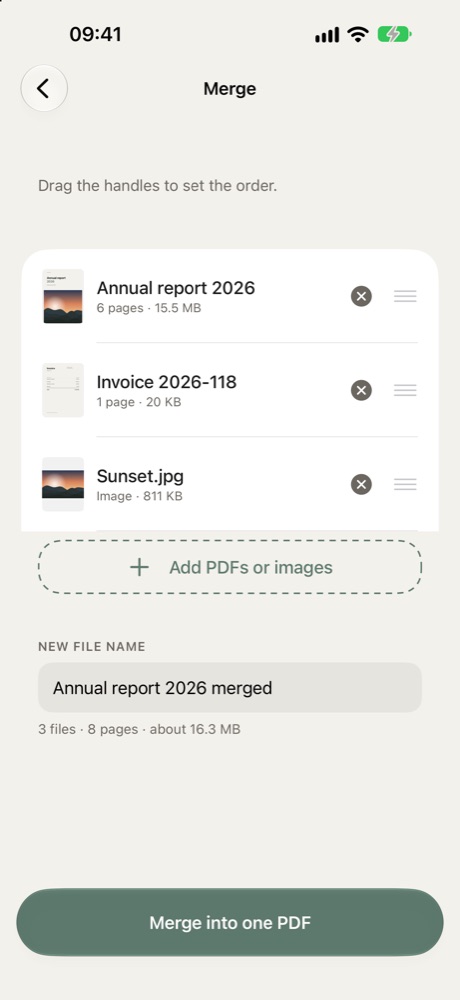
Merge
Several PDFs and photos into one file, in the order you choose.
Images to PDF
Photos become clean pages in A4, Letter or their own size.
Scan
Paper to PDF with the camera, edges straightened automatically.
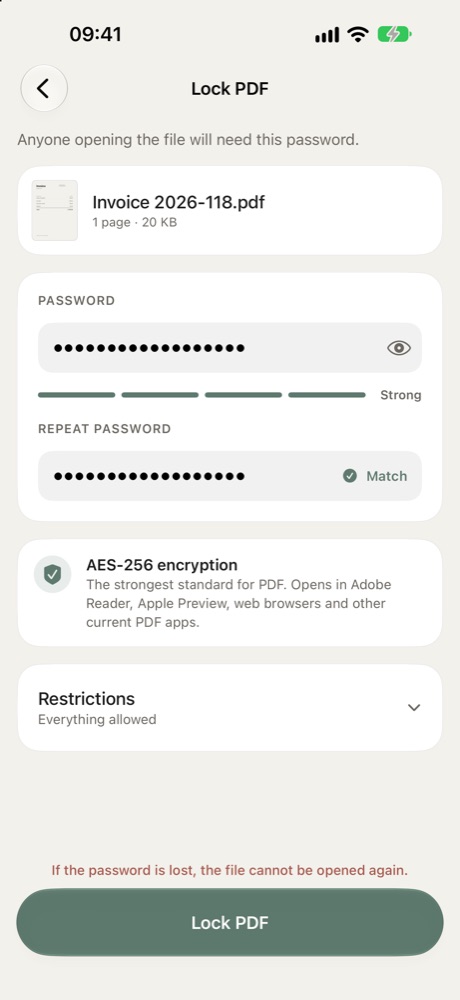
Lock PDF
Password protection with AES-256, or remove a password you know.
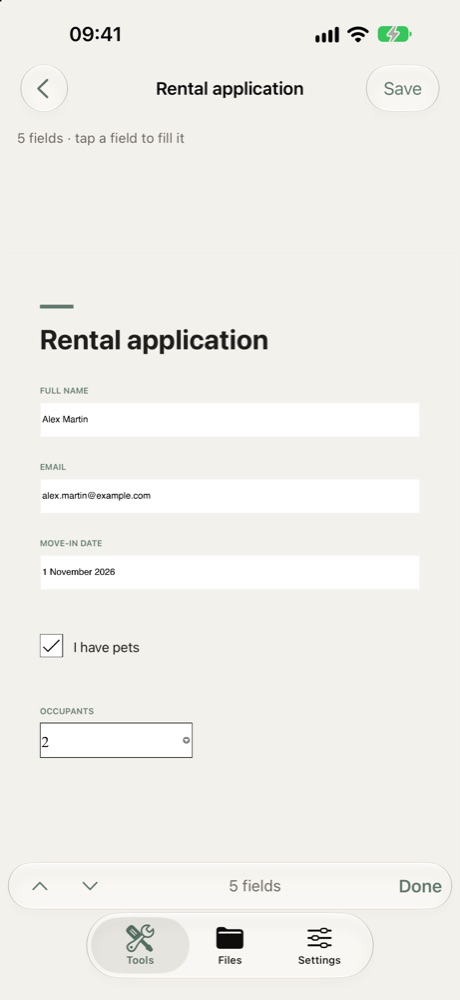
Fill form
Type into PDF forms, tick boxes, then save a copy or fix the answers.
Privacy
Nothing leaves your iPhone.
- subscriptions
- ads
- accounts
- uploads
- Processing
- Every tool runs on the device. No file is sent to a server, ever.
- Data collected
- None. The App Store label reads “Data Not Collected”.
- Analytics
- No analytics, no tracking, no third-party SDKs.
- Your files
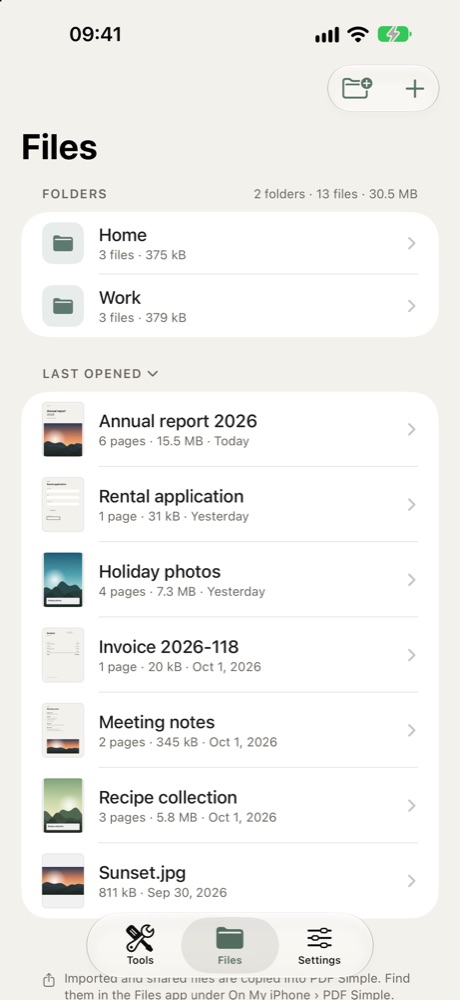
- Stored in the app’s library, visible in the Files app under On My iPhone › PDF Simple.
- Open source inside
- PDF processing by qpdf (Apache 2.0) and libjpeg-turbo.
Questions
Simple answers.
Is it really free?
Yes. There is no subscription, no in-app purchase and no advertising. Remora Labs makes it because everyday PDF jobs should not cost money.
Are my files uploaded anywhere?
No. Compression, merging, encryption and form filling all happen on your iPhone. The app works in flight mode.
How small can a PDF get?
It depends on the photos inside. Text-only files are already small; scans and photo-heavy reports often shrink by 70 to 90%. The app shows the estimate before you start.
Will text stay sharp after compressing?
Yes. Only images are reduced. Text and drawings are left untouched, unless you choose the Maximum mode, which turns pages into images.
Which languages?
English, French and German.